Let's talk
macOS app Developer tools Local-first 2026 View live ↗

Origo

One local dashboard to operate the entire AI agent stack: servers, clients, secrets, skills, prompts, instructions, profiles, and security.

Info Project Overview

Challenge

A developer using Claude Code, Codex, Cursor, VS Code, and desktop agents is not managing one agent stack. Each client stores MCP servers, environment variables, instructions, prompts, and permissions in a different schema and file path. Adding one server means repeating JSON across tools. Rotating one API key means finding every copy. An external edit creates silent drift, and the failure usually appears later as a missing tool, a broken server, or an agent behaving differently from the others. There is no reliable place to see what is installed, which client can access it, whether a secret is exposed, or which configuration is actually current.

Solution

Origo gives the whole local agent stack one operating layer. It discovers installed clients, imports their configuration into a canonical workspace, manages MCP servers, skills, prompts, instructions, and profiles centrally, and keeps secret values in macOS Keychain. Before writing anything, Origo shows the client-specific diff, creates a snapshot, and translates the canonical model back into each tool’s native format. Health checks, drift detection, and security audits make configuration problems visible before they interrupt work.

Result

Instead of debugging five separate configuration systems, a developer can add or update something once, choose which clients should receive it, review the exact changes, and synchronize them from one dashboard. Every write stays local, inspectable, and reversible while each AI client continues using the format it already understands.
Operate every agent from one local control plane.
How I built it

One dashboard for the entire agent stack.

The problem is configuration sprawl across tools. The solution is one local control plane that can inspect, secure, translate, and synchronize every part without hiding the underlying files.

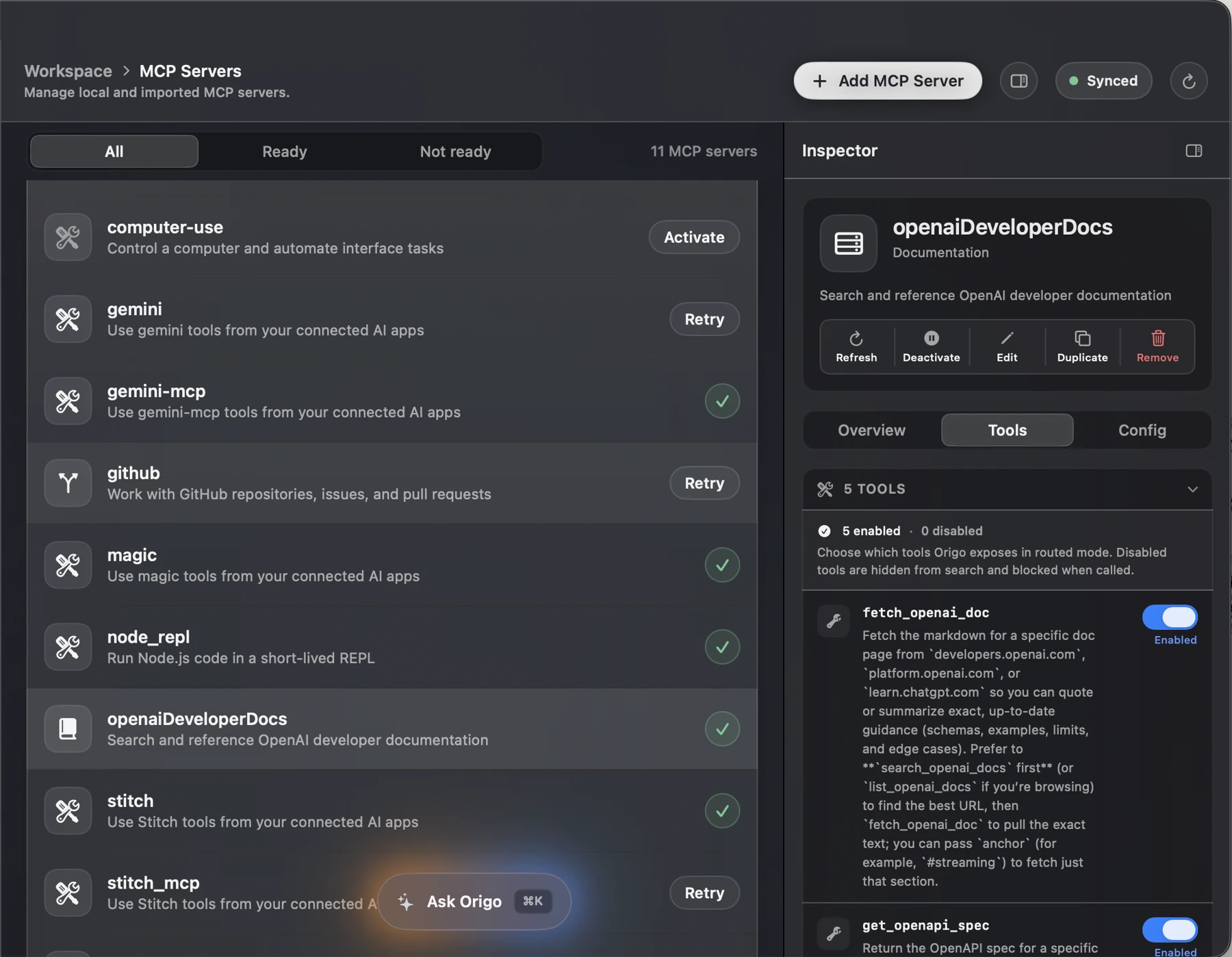
Dark-mode Origo MCP Servers screen with a canonical server list, tool controls, and detailed inspector
What it does

One canonical MCP workspace

Developer problem

Every client keeps its own MCP server definitions, command arguments, environment references, and tool permissions. The same server can work in Claude Code, disappear from Codex, and be stale in Cursor because the copies were edited at different times. When a tool fails, the developer has to inspect several files just to discover which version is wrong.

How Origo solves it

Origo imports every local and client-managed server into one canonical workspace. A single inspector exposes configuration, health, available tools, and activation state, then Origo generates the native configuration each selected client expects. The server is managed once without turning its underlying setup into a black box.

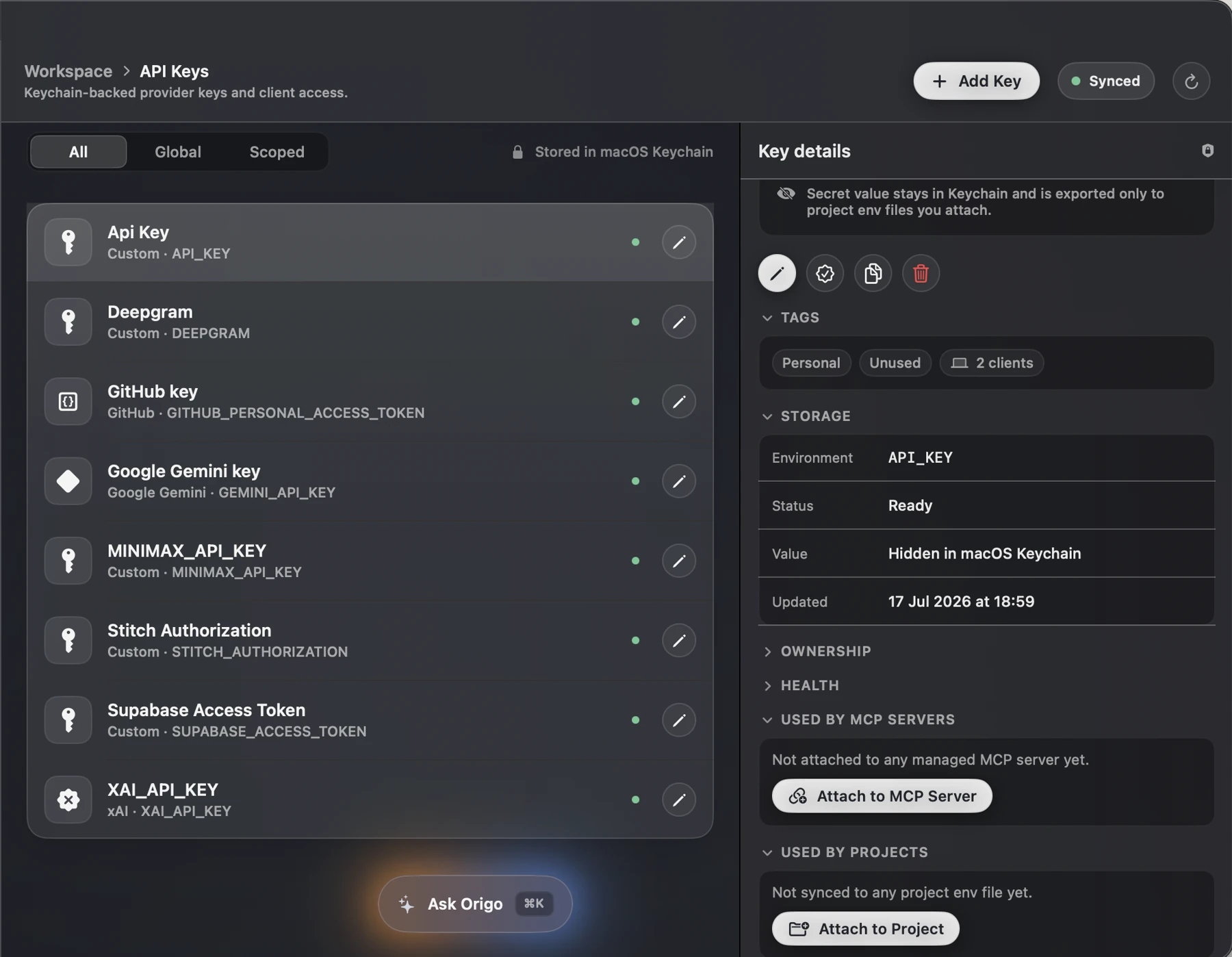
Dark-mode Origo API Keys screen showing Keychain-backed credentials, status, tags, and client relationships
What it does

Secrets stay in macOS Keychain

Developer problem

MCP examples often place tokens directly inside JSON, shell files, or environment files. Those secrets are then copied between clients, included in backups, exposed during screen sharing, or accidentally committed. Rotation is equally fragile because nobody can quickly see which servers, projects, and clients still depend on the old value.

How Origo solves it

Origo stores the secret value in macOS Keychain and manages only a safe reference in the workspace. It keeps the environment name, scope, ownership, and dependency map visible, audits client files for plaintext credentials, and lets a developer update one secret without hunting through every agent configuration.

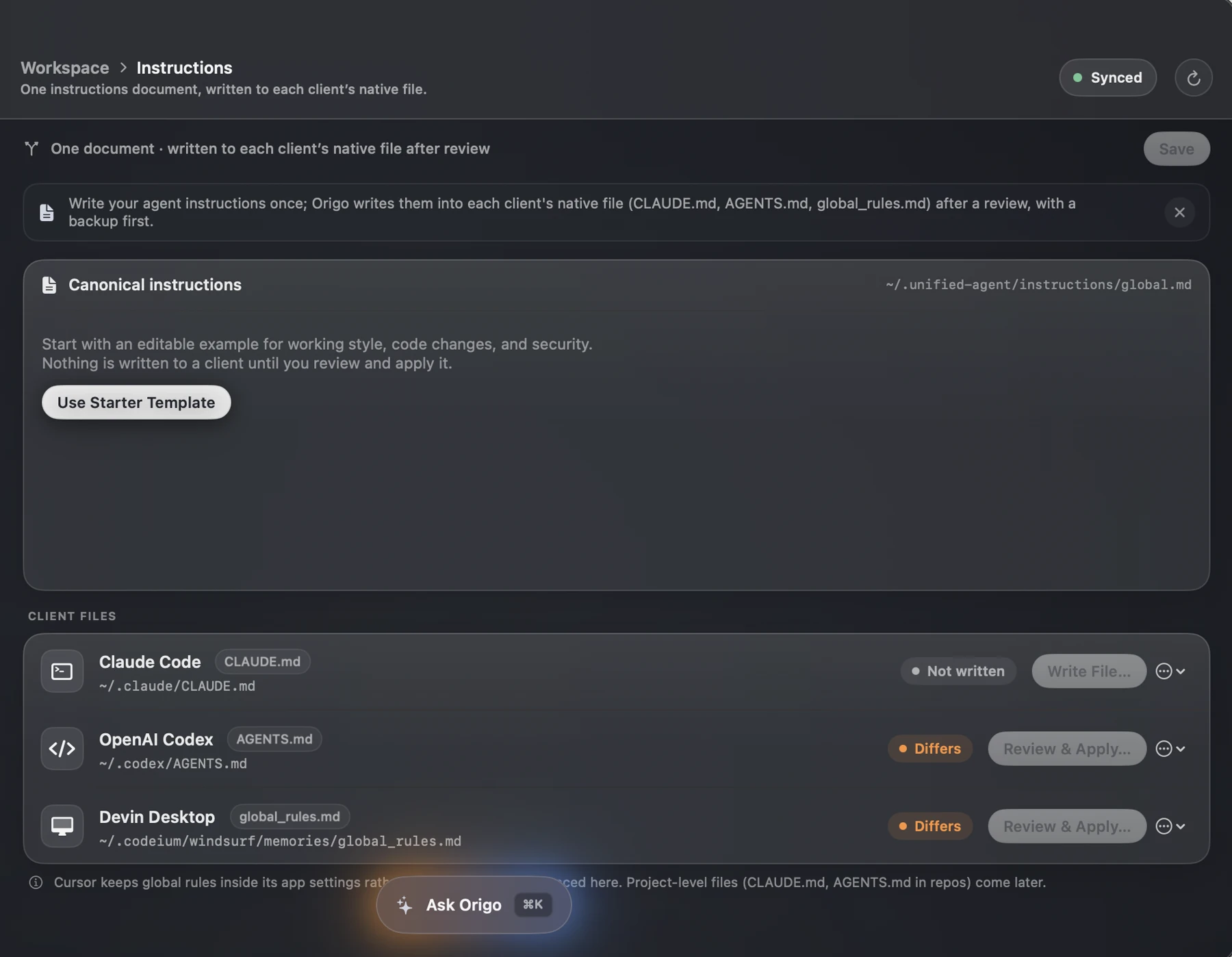
Dark-mode Origo Instructions screen mapping one canonical document to native Claude Code, Codex, and Devin instruction files
What it does

Write once. Review every change.

Developer problem

Agent behavior is split across CLAUDE.md, AGENTS.md, global rules, and tool-specific settings. A coding rule fixed in one client may remain outdated in another, while manual copying slowly produces conflicting versions. Developers lose time comparing files and cannot be certain that security or workflow instructions reached every agent.

How Origo solves it

Origo keeps one canonical instruction document and maps it to each client's native destination. It detects differences, shows the exact proposed change, and requires review before applying it. A snapshot is created first, so shared behavior can stay consistent without sacrificing client-native files or rollback.

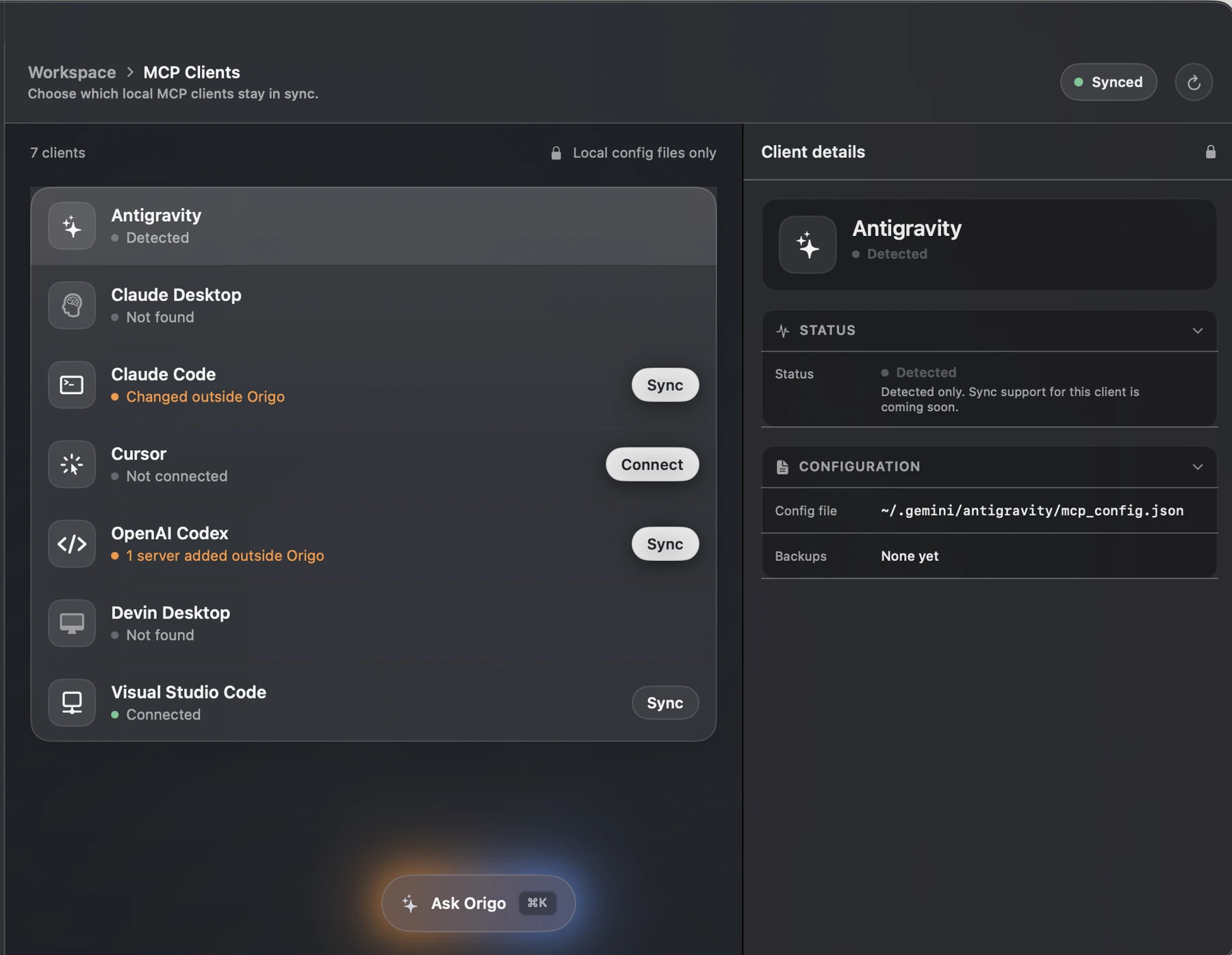
Dark-mode Origo MCP Clients screen showing detected clients, configuration drift, connection status, and synchronization controls
What it does

Detect drift. Sync every client.

Developer problem

Client configuration can change outside the manager whenever an extension, CLI update, or manual edit rewrites a file. Without a control plane, the developer cannot tell which clients are connected, which ones differ, or whether a synchronization will overwrite a valid local change.

How Origo solves it

Origo discovers supported clients, shows their real configuration path and connection state, and flags external drift before synchronization. The developer chooses the target, reviews the change, and syncs each client deliberately. Origo remains the source of truth while Claude Code, Codex, Cursor, VS Code, and other tools keep their native formats.

One stack. One place to operate it.

Origo turns a scattered collection of agent clients, MCP servers, secrets, skills, prompts, and instructions into one local system: without hiding files, uploading the workspace, or making synchronization irreversible.

View Origo ↗
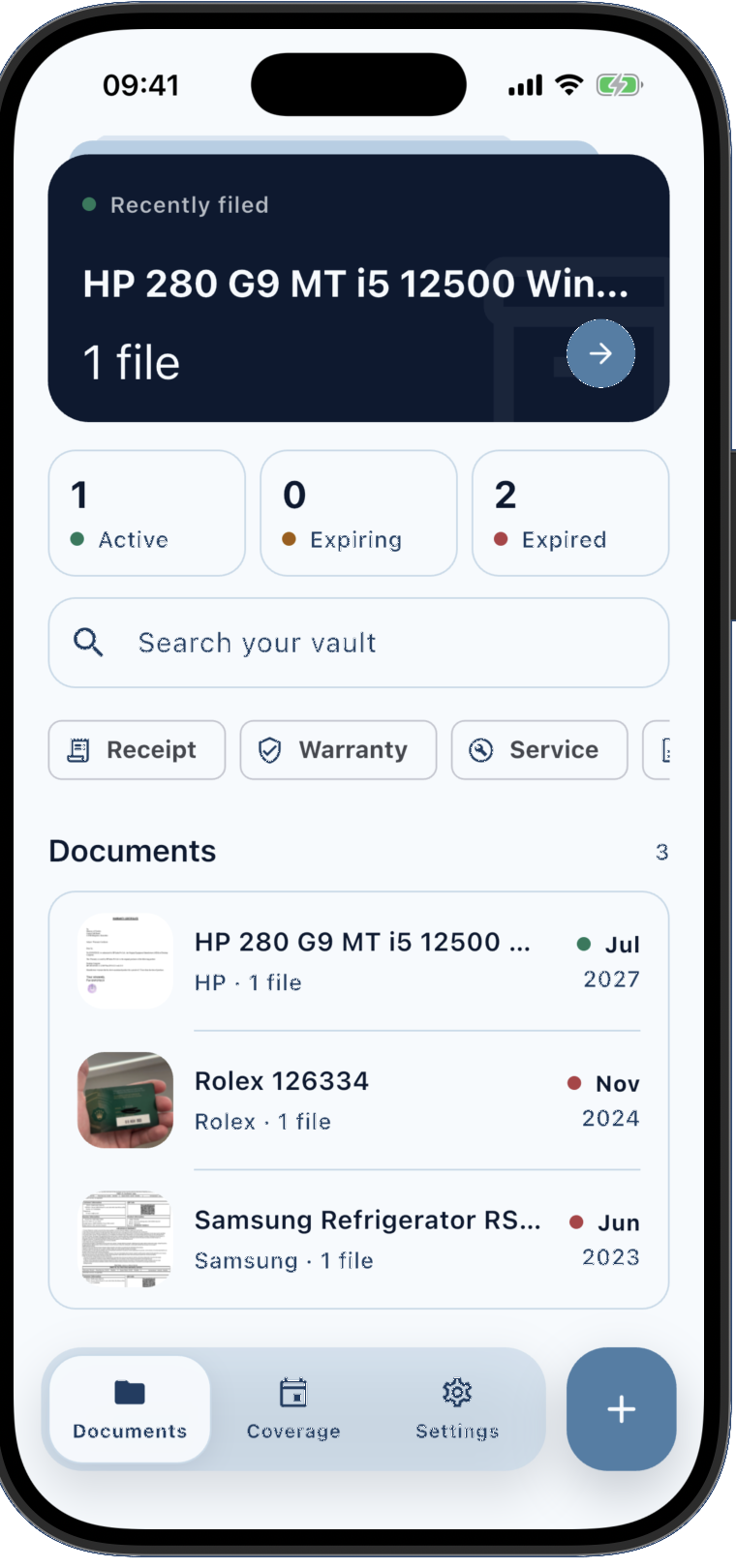
Warrantly document vault showing the saved Rolex 126334 warranty alongside other searchable product records Next project Warrantly See project