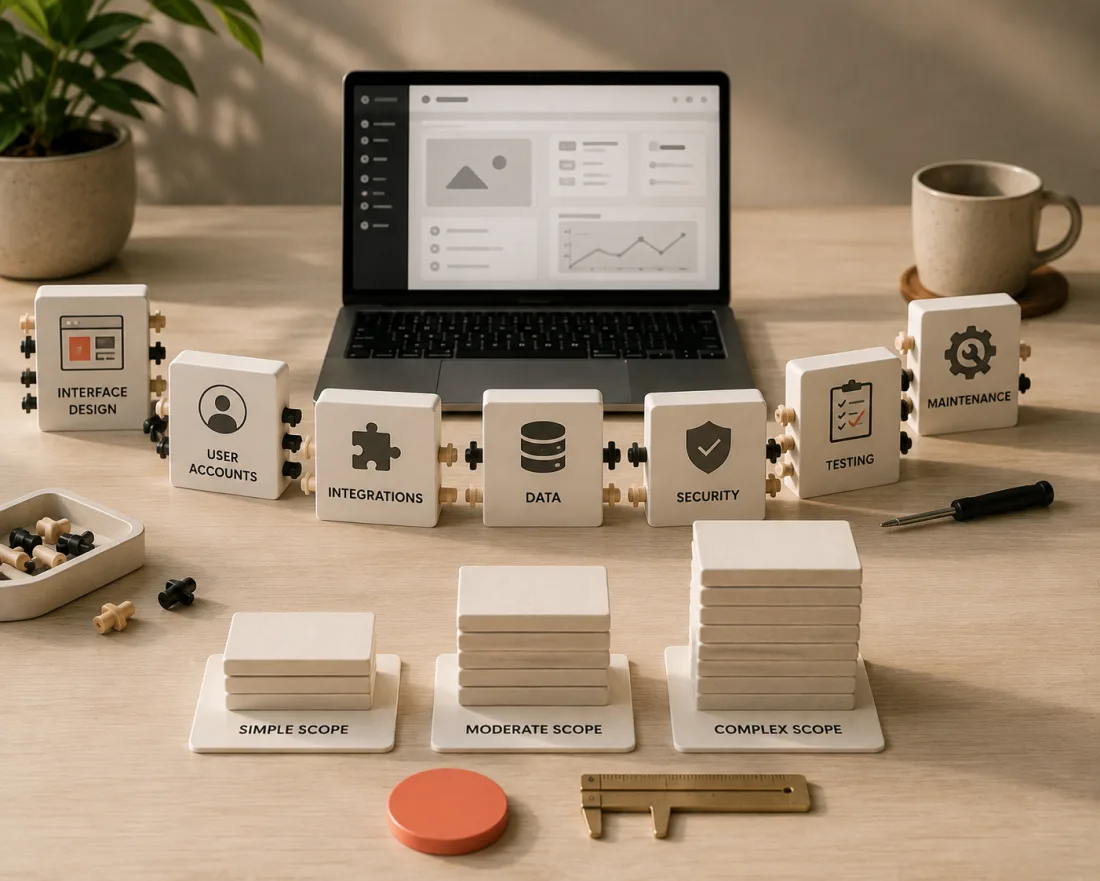
What you are actually paying for
The code is the cheap part. It has been getting cheaper for years and is getting cheaper faster now.
What costs money is everything around it:
- Understanding how your business actually works, which usually nobody has written down
- Designing screens people can use without training
- Handling the cases nobody mentions in the first meeting
- Connecting to the tools you already run on
- Testing it against reality rather than against the happy path
- Making it survive being used by people who did not build it
A cheap build skips those. You do not avoid the cost, you just pay it later as bugs, rework, and the thing quietly not being used.
A simple way to think about it is this. You are not buying software. You are buying somebody's careful attention to how your business works. The software is the residue of that attention.
The six things that move the price
Scope. Three screens or thirty. Every feature is build time plus test time plus a permanent maintenance cost.
Integrations. Talking to payments, email, WhatsApp, or your existing systems adds work quickly, and each connection is something that can break independently of your app.
Users and roles. "Anyone can log in" is simple. Admins, staff, and customers each seeing different things is meaningfully harder, and it is where most security mistakes happen.
Data. Simple forms are easy. Real reporting, history, and dashboards cost more, because now the shape of your data matters and mistakes are expensive to undo.
Design. A clean standard interface is efficient. A bespoke branded one takes longer and needs someone who is good at it.
Reliability. A weekend tool and a system your business depends on are built differently, tested differently, and priced differently. Be honest about which you need, because paying for the second when you need the first is the most common way to overspend.
Rough tiers
Planning ranges, not quotes.
A focused internal tool. One job done well. A form, a small dashboard, a thing that replaces a spreadsheet everybody hates. The most affordable starting point and, for most small businesses, the correct one.
A real portal. Logins, roles, live data, several connected screens. Meaningfully higher, because now identity, permissions, and data integrity all matter.
A full product. Multiple user types, integrations, uptime expectations, other people depending on it. A serious investment, and one that should almost always be phased rather than bought in one piece.
The jump between tiers is driven by the six factors above, not by page count. Two apps with the same number of screens can differ by a factor of five.
The costs people forget
This is where budgets actually break.
Hosting and services. Small monthly, but ongoing, and it never stops.
Maintenance. Things break without anyone touching them. Dependencies update, APIs change, browsers move on. Budget something every year or accept slow decay.
Changes after launch. There will be changes. The first month of real use always produces a list, and it is usually the most valuable list you will get.
Your own time. The single most underestimated cost. A custom build needs decisions, feedback, testing, and content from you. If you cannot give it a few hours a week, the project stretches and stretched projects cost more.
The migration. Getting your existing data in, and your team's habits changed, is real work that rarely appears in a quote.
How to spend less
The best way to spend less is not to find a cheaper builder. Cheap builders are expensive later, and you will not be able to tell the good cheap one from the bad cheap one in advance.
Build less first.
1. Ship the smallest genuinely useful version. Not a demo. The smallest thing that a real person would use on a real Tuesday. 2. Phase it. Pay for v1, prove it earns its keep, fund v2 from what it saved. 3. Reuse what exists. Proven components and sensible defaults over custom everything. Nobody has ever chosen a supplier because of a bespoke date picker. 4. Be ruthless about features. Every "wouldn't it be nice" is real money and permanent maintenance. 5. Write down your process first. The single biggest driver of cost is ambiguity. An hour spent describing how the job actually works can remove days of building the wrong thing.
That last one is free and almost nobody does it.
When custom is actually worth it
If an off-the-shelf tool does the job, use it. Genuinely. The same wait-before-you-build logic applies to AI features. Paying a monthly fee for something that already exists beats owning something you must maintain.
Custom pays off in three situations:
- Your workflow is your edge, and bending it to fit a generic tool would cost you the thing that makes you good.
- No tool fits how you actually work, and you are already paying in manual steps and copy-paste.
- You have outgrown spreadsheets, and the cost is now measured in mistakes rather than time.
If none of those are true, the honest advice is to wait.
The first question to ask
Before cost, ask: what does this need to do on day one for someone to genuinely use it?
Most people answer with a list of fifteen things. Push until it is three.
Those three are your v1, and scoping them properly is the difference between a build that pays for itself and one that quietly becomes a tab nobody opens.
That first conversation is the one worth having carefully, and it is where I would start with any app work too.